WhatsApp sticker import guide
How to add custom pet stickers to WhatsApp
Use this guide after you have pet sticker PNG files. It explains how to organize the images, move them to your phone, and add them through the WhatsApp sticker workflow that works for your device.
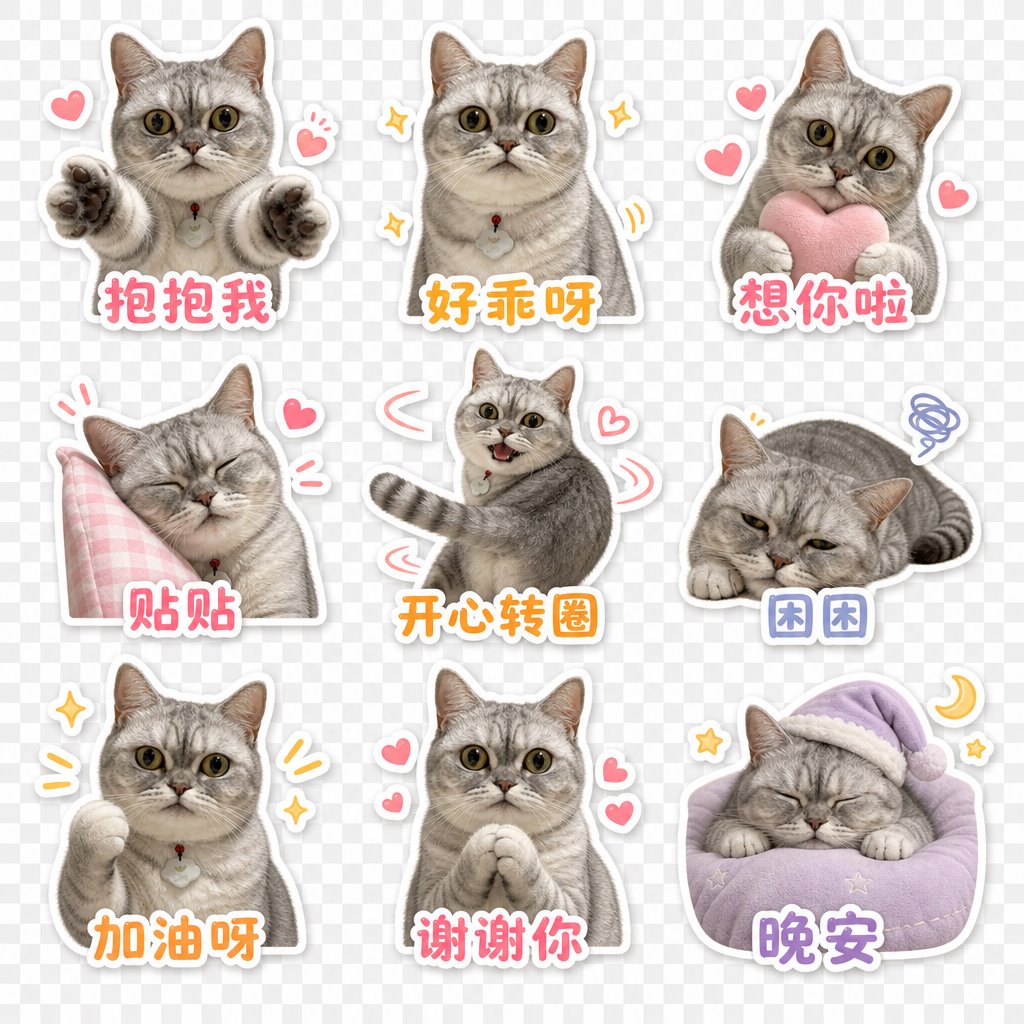
From generation to WhatsApp
Make the path from output to chat explicit
Download or unzip your sticker files
If your stickers came as a ZIP pack, unzip it first so you can access the individual PNG files.
Move the PNG files to your phone
Use AirDrop, cloud drive, USB transfer, email, or your files app so the sticker images are available on the phone where you use WhatsApp.
Create or open a WhatsApp sticker pack workflow
Use the sticker creation option available on your WhatsApp version, or a trusted sticker manager workflow you already use.
Add the pet PNGs and test them in chat
Add the images, save the pack, then send a few stickers to yourself or a test chat to confirm the crop, expression, and readability.
Visual walkthrough: add pet stickers in WhatsApp
These screenshots show the flow on a test chat. Your WhatsApp version may look slightly different, but the path is the same: open stickers, choose a PNG, preview it, add it, then test it in chat.
Open the sticker tray
In a test chat, open the sticker tab and tap Create. This keeps the import flow separate from private conversations.
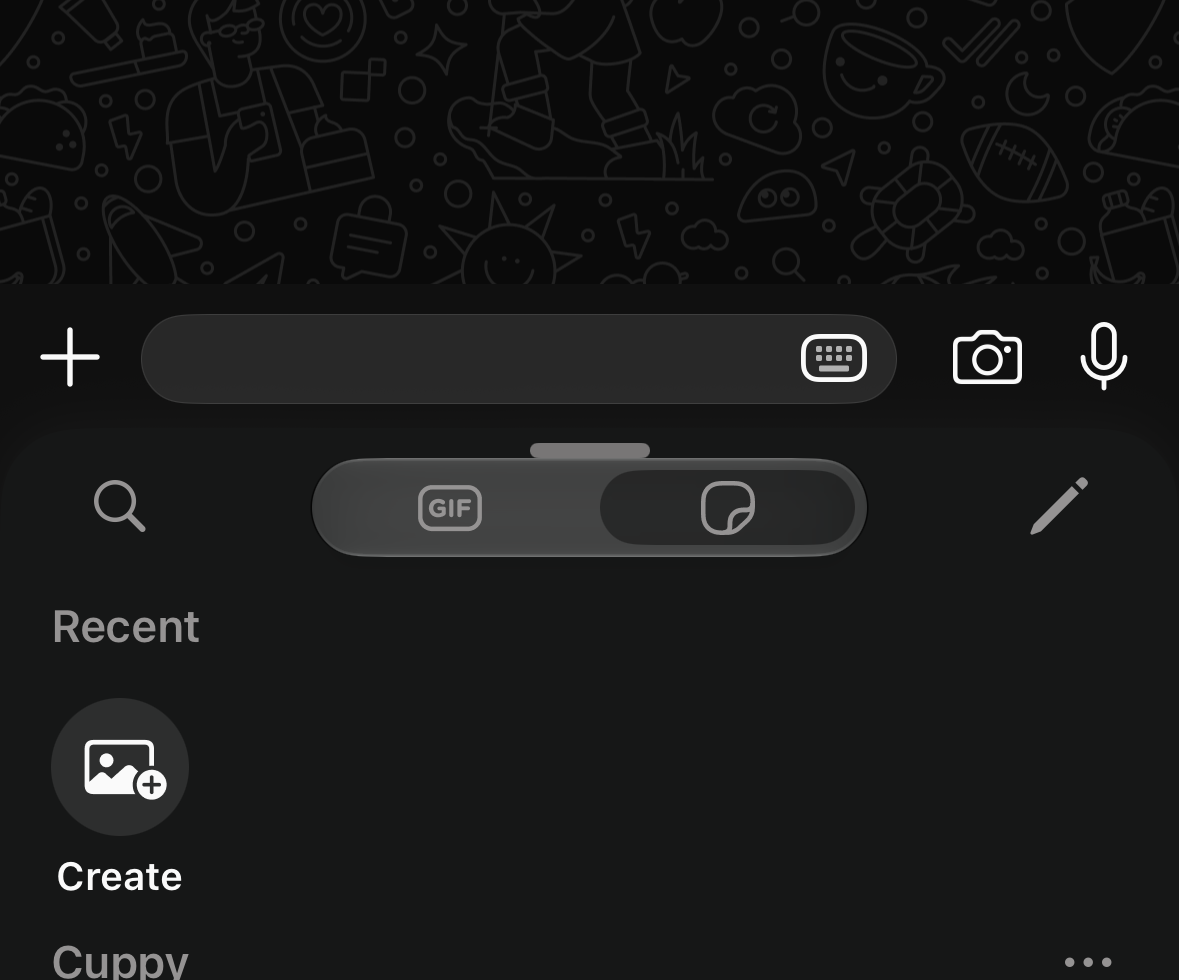
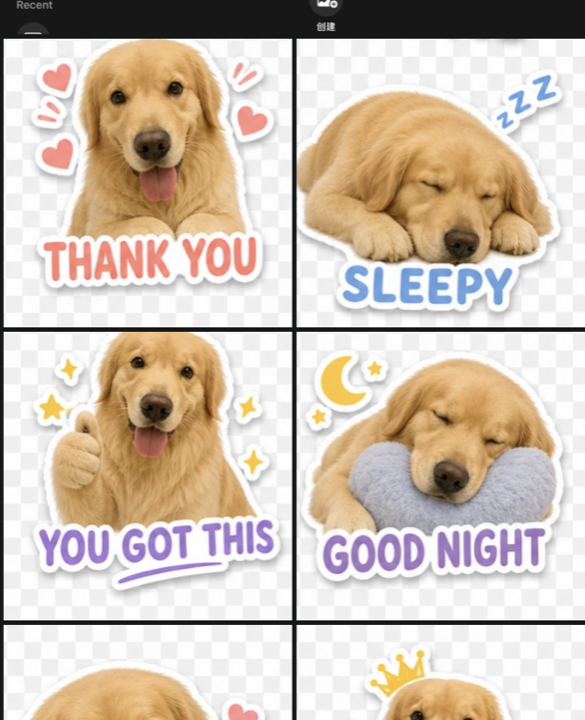
Choose a generated pet PNG
Select one of the downloaded pet sticker PNGs from your photo library or files workflow.
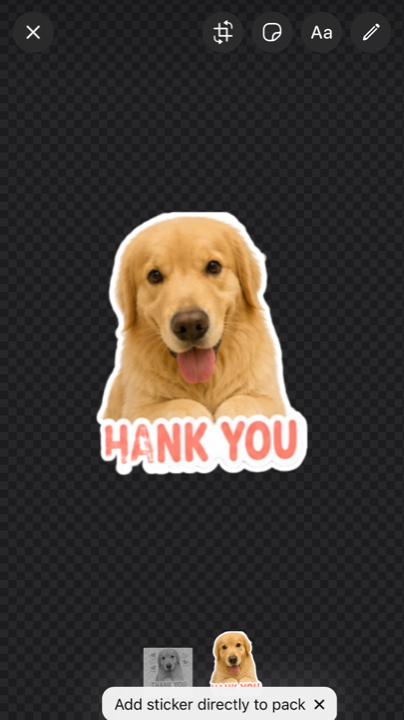
Preview before sending
Check the crop and sticker size. If the preview looks good, add the sticker directly to a pack or send it in the test chat.
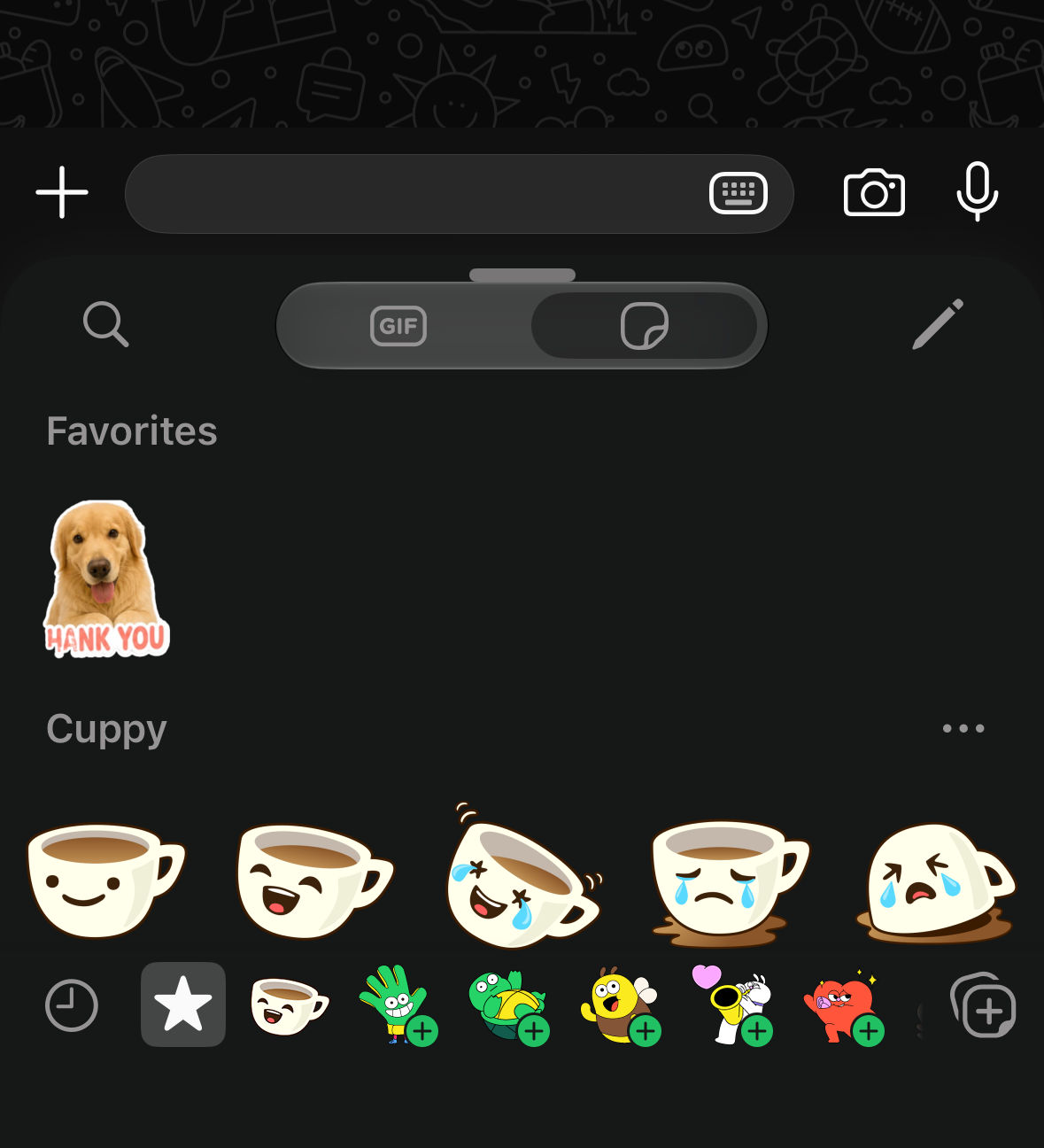
Confirm it appears in Favorites
After adding the sticker, check Favorites so you know the import worked before adding the rest of the pack.
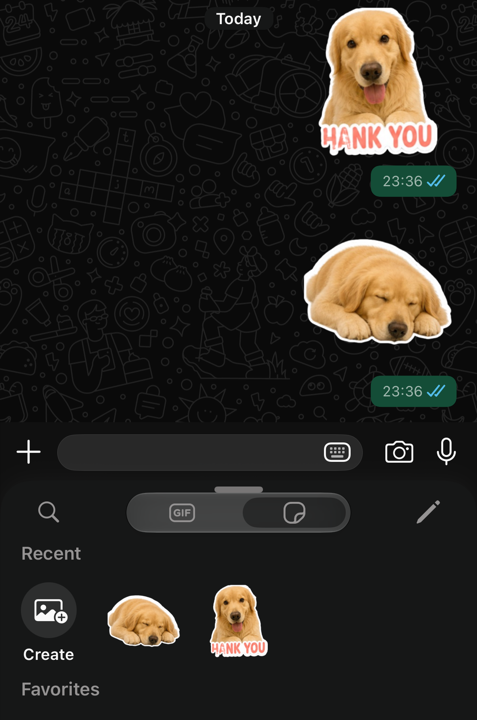
Test the sticker in chat
Send one or two stickers to yourself first. Keep the ones that remain readable at chat size and replace weak ones.
Questions
Can I import PNG stickers directly into WhatsApp?
Sometimes, depending on your WhatsApp version and device workflow. In many cases, you will use WhatsApp sticker creation or a sticker manager flow to add the PNG files into a pack.
Does StickerPackAI add stickers to WhatsApp automatically?
No. StickerPackAI prepares downloadable PNG stickers and ZIP packs. The final WhatsApp import happens on your phone.
What if my sticker pack does not appear in WhatsApp?
Check that the images were saved on the same phone, that the import flow completed, and that your WhatsApp version supports the sticker workflow you used.
Where do I make the pet sticker PNGs first?
Use the WhatsApp pet sticker maker page to generate a 3x3 pet sticker pack, then return to this guide for the import workflow.